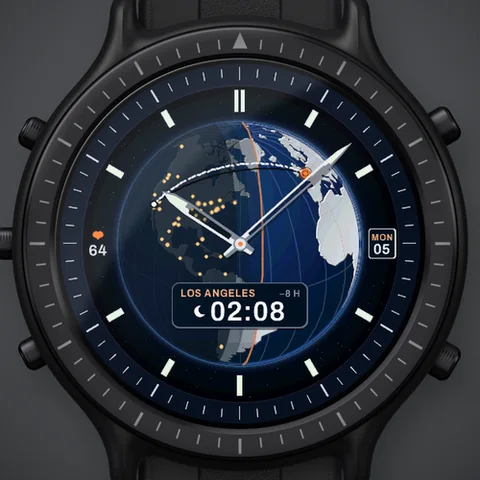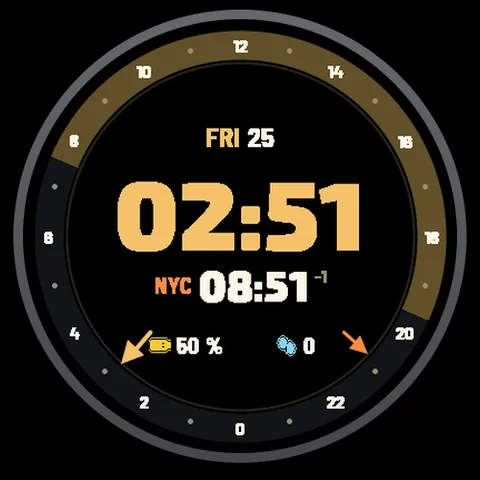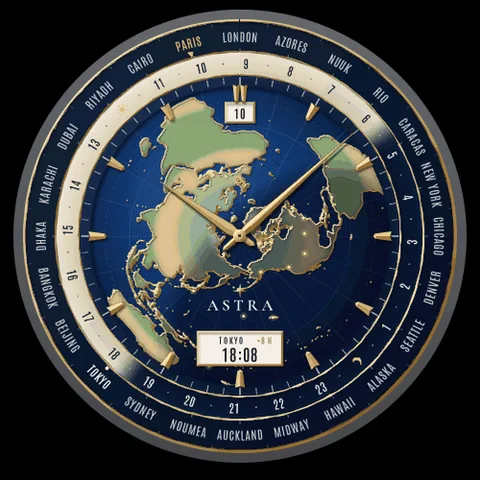
ASTRA / RECKONER
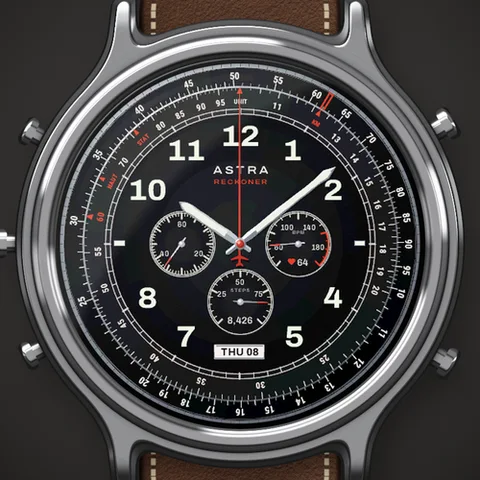
Astra Reckoner watch face for Garmin. At every wrist raise the bezel clicks round and sets today's distance under KM, so you also read it in miles and nautical miles, around big lume numerals, three subdials, a date window and a red chronograph hand.
THE ORIGINAL DESIGN
Astra Reckoner watch face, enlarged preview
ANIMATED WATCH FACEModern classics

Reckoner.

A pilot's chronograph with a working slide rule.

At every wrist raise the bezel clicks round and sets today's distance under KM, so you also read it in miles and nautical miles, around big lume numerals, three subdials, a date window and a red chronograph hand.

Designed for Garmin Check your watch
Get Pro on Connect IQ No Garmin Pay? Buy a Pro keyCard, PayPal · $4.99
One-time purchase. No subscription.

Price may vary by country. Final price and taxes are confirmed on Connect IQ.

Meet your next watch face.

Scan to open Astra Reckoner Pro on the Connect IQ Store.

Open store page

Downloaded directly from Garmin Connect IQ.
No account needed.

A CLOSER LOOK

A pilot's chronograph with a working slide rule.

At every wrist raise the bezel clicks round and sets today's distance under KM, so you also read it in miles and nautical miles, around big lume numerals, three subdials, a date window and a red chronograph hand.

Explore the screenshots for a closer look at the design. The Connect IQ listing for each available edition contains its full feature list and settings.

Explore modern classics

YOUR FACE. YOUR CHOICE.

Start free. Go a little further.

The Free edition is yours to keep. Choose Pro when you want the extra possibilities.

How Free & Pro work
Your editionFreePro Price on store
AvailabilityAvailable on Connect IQAvailable on Connect IQ
PurchaseFree, no expiryOne-time purchase
Full edition detailsSee Free store listingSee Pro store listing
Get FreeGet Pro

MADE FOR YOUR WATCH

A perfect fit?

Find your exact model. Compatibility is checked separately for each approved edition.

Explore by watch
69 compatible models
Approach S70 (42mm)FreePro
Approach S70 (47mm)FreePro
Approach S72 - 43 mmFreePro
Approach S72 - 47 mmFreePro
D2 Air X15FreePro
D2 Mach 1FreePro
D2 Mach 1 ProFreePro
D2 Mach 2FreePro
D2 Mach 2 ProFreePro
Descent MK3 - 43mmFreePro
Descent MK3i - 51mmFreePro
Enduro 2FreePro
Enduro 3FreePro
Enduro 4FreePro
epix (Gen 2)FreePro
epix (Gen 2)FreePro
epix Pro (42mm)FreePro
epix Pro (47mm)FreePro
epix Pro (51mm)FreePro
fēnix 7FreePro
fēnix 7FreePro
fēnix 7 ProFreePro
fēnix 7 Pro – Solar Edition (No Wi-Fi)FreePro
fēnix 7SFreePro
fēnix 7SFreePro
fēnix 7S ProFreePro
fēnix 7XFreePro
fēnix 7XFreePro
fēnix 7X ProFreePro
fēnix 7X Pro No Wi-FiFreePro
fēnix 8 AMOLED (43mm)FreePro
fēnix 8 AMOLED (47mm/51mm)FreePro
fēnix 8 ProFreePro
fēnix 8 Solar (47mm)FreePro
fēnix 8 Solar (51mm)FreePro
fenix 9 - 43 mmFreePro
fenix 9 – 47 mmFreePro
fenix 9 Pro - 43 mmFreePro
fenix 9 Pro - 47 mmFreePro
fenix 9 Pro - 51 mmFreePro
fenix 9 Pro - Solar 47 mmFreePro
fenix 9 Pro - Solar 51 mmFreePro
fēnix EFreePro
Forerunner 165FreePro
Forerunner 165 MusicFreePro
Forerunner 170FreePro
Forerunner 170 MusicFreePro
Forerunner 265FreePro
Forerunner 265SFreePro
Forerunner 570 - 42mmFreePro
Forerunner 570 - 47mmFreePro
Forerunner 70FreePro
Forerunner 955 Dual PowerFreePro
Forerunner 965FreePro
Forerunner 970FreePro
MARQ (Gen 2)FreePro
MARQ Adventurer (Gen 3)FreePro
MARQ Commander (Gen 2) – Carbon EditionFreePro
MARQ Aviator (Gen 2)FreePro
tactix 7FreePro
tactix 7 – AMOLED EditionFreePro
tactix 8 – 47 mm, AMOLEDFreePro
tactix 8 – 51 mm, SolarFreePro
Venu 3FreePro
Venu 3SFreePro
Venu 4 – 41 mmFreePro
Venu 4 – 45 mmFreePro
vívoactive 6FreePro

GOOD TO KNOW

The little details.

Ask the studio
How do I install Reckoner?

Choose an available edition above to open its Connect IQ page. Select a compatible watch in the Connect IQ app, install the face and sync your watch. Then select the new face on your watch.

Do I need a subscription?

The Pro edition is a one-time purchase through Garmin Connect IQ. You do not pay Astra through this website.

When does the animation play?

Animation behavior depends on your watch and the edition. Check the settings in Connect IQ and the edition description on its store page. Animation is limited while the watch is in its low-power state.

Where do I change the settings?

Open Connect IQ, find the installed watch face under My Device, and open Settings. Available options depend on the face and edition. Save the changes and sync your watch.

A LITTLE HELP GOES A LONG WAY

New face. Easy start.

From your first install to your favorite settings. Make yourself at home.

Explore the guides